
Even smaller cells! The image almost looks fluffy now.

The same image with smaller cells.

For my first try I selected fairly large cells which created a very abstract effect.

From the effects menu I chose 'Crystallize'. As you can see, the size of the 'cells' or facets can be selected by moving the slide indicator back and forth.
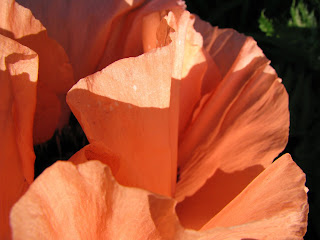
Original Image
In hunting for a suitable reference for my next floral, I ran across the photo of a poppy I took earlier this summer. It's a lousy photo but I saved it because it had some interesting light patterns going on. I took the photo just before sundown when poppies tend to start closing up their petals and combined with the light, created an abstract image of sorts. Last night I put this image into Elements and started playing around.

 Kinda cool...huh?
 Using the slide indicator below Angle you can adjust the amount of twist desired.


